


TL;DR The YouTube Data API v3 is free up to 10,000 quota units/day, but integrating it requires managing OAuth 2.0, multiple API endpoints, strict rate limits, and ongoing maintenance as YouTube updates its APIs. This guide covers what YouTube API integration involves, the key challenges developers face in 2026, and how platforms like Phyllo simplify the process with a single unified API.
- YouTube API integration runs through Data API v3, which gives every Google Cloud project 10,000 free quota units a day.
- One search.list call costs 100 units, so the default daily allocation is spent after roughly 100 searches.
- Audience demographics and income data need creator OAuth consent, and Google's sensitive scope review takes 4 to 6 weeks.
- Shorts carry no isShort flag, so teams infer them from video duration of 60 seconds or less plus aspect ratio.
- Phyllo delivers YouTube, Instagram and TikTok creator data through one API in under 7 days versus 2 to 6 weeks natively.
The YouTube API or Application Programming Interface allows developers to skip the grind of writing every single line of code every time they need to access data. Youtube API allows a wide range of features and functionalities that makes it valuable to businesses. It allows developers to retrieve data at a mass scale without needing to access individual videos and channels. Developers can simply use predefined functions and protocols to curate YouTube videos on a website.
The Youtube APIs become specially important for developers of the creator economy as they try and get access to influencer data directly from the platform to build exciting products.
The YouTube API gives access to YouTube’s data in a more comprehensive, scalable way than the standalone YouTube embed codes. Developers can retrieve entire playlists, users’ uploads, and even search results using the YouTube API.
What's Changed in YouTube API Integration (2026 Update)
- YouTube Shorts API is now a first-class endpoint — developers can retrieve Shorts-specific metrics (views, engagement, completion rates) separately from long-form video data. This is critical for influencer marketing platforms vetting short-form creators.
- YouTube Data API v3 remains the primary integration point — the default quota is still 10,000 units/day per Google Cloud project, but Google has tightened the quota increase approval process, making it harder to get extensions for data-heavy use cases. For the full picture on YouTube API costs and whether the free tier covers your use case, see is the YouTube API free — costs and limits explained.
- OAuth token management has become more complex — YouTube now requires more granular permission scopes, and tokens must be explicitly refreshed. Silent expiry is a common production failure point in 2026.
- Income and AdSense data is now accessible via API for creators who grant permission — a significant development for fintech platforms doing creator underwriting.
- The YouTube Analytics API now supports more granular audience demographic breakdowns — age, gender, geography, and device type — but only for authenticated creator accounts, not public channel lookups.
Let’s have a look at the need for YouTube API integration, the current issues, and the potential solutions for developers working in the creator industry.
How to Set Up YouTube API Integration (Step by Step)
Step 1: Create a Google Cloud Project Go to console.cloud.google.com, create a new project, and name it after your application.
Step 2: Enable YouTube Data API v3In the API Library, search for "YouTube Data API v3" and click Enable. Do the same for YouTube Analytics API if you need channel-level analytics.
Step 3: Generate API Credentials For public data (video search, channel info): create an API Key under Credentials. For private creator data (analytics, income): create an OAuth 2.0 Client ID and configure your redirect URIs.
For a full walkthrough on generating and managing your API key, see our YouTube API key setup guide.
Step 4: Authenticate with OAuth 2.0Direct creators to Google's OAuth consent screen with the required scopes:
youtube.readonly— read access to a creator's YouTube accountyt-analytics.readonly— access to YouTube Analytics datayoutubepartner— access to YouTube Content ID and monetization data (partner only)
Tokens expire after 1 hour. Build refresh token logic from day one — this is the most common production failure point.
Step 5: Make Your First API Call Retrieve a channel's basic data: GET https://www.googleapis.com/youtube/v3/channels?part=snippet,statistics&mine=true
Step 6: Monitor Quota Usage Track consumption in Google Cloud Console under APIs & Services → YouTube Data API v3 → Quotas. Set up quota alerts before you hit limits, not after.
Why do creator economy companies need YouTube data?

A YouTube creator's identity is limited to the walls of the platform. Their hard-earned reputation is worthless outside these platform barriers. Creators want to break free from these restrictive walls and preserve their reputation even outside these platforms.
On the other hand, developers building for the creator economy require a simple solution that allows them to easily verify a large pool of creators across various social media platforms. This helps them create amazing products using this data and allows them to go to market as quickly as possible.
The current methods of verifying identities via screenshots, emails, and phone calls are not scalable and are too time-consuming. Developers need access to the creator’s first-party data directly from the source so they don’t need to worry about its authenticity and verification.
How do you developers get YouTube data?
Currently, developers can get data about creators on YouTube using one of the three methods:
- Data Scraping
Most third-party agencies use data scraping. They provide information via creators’ publicly available data. However, data scraping has many limitations:
- Many social media platforms, such as YouTube, Instagram, etc., discourage scraping. The data quality, therefore, is unreliable.
- Data scraping provides only publicly visible data but not private metrics such as post impressions, which is an essential metric for many brand engagement/CPM calculations.
- It does not provide trusted audience demographics directly from the underlying platform as this data is private to the creator. Hence audience profiles are approximations and vary from one third-party provider to another for the same creator.
- It leaves the onus of creator verification to the influencer marketing platforms.
- Pseudo login
Another way to get the creator’s information is via pseudo logins. Few creator-catering agencies provide a secure login environment where they take YouTube IDs and passwords from consented creators to take out the required data. However, social media platforms like YouTube are making secure logins more and more difficult, making it a non-reliable solution.
- API integration:
A secure and consent-driven way of getting creator data is via the API integration route.
This method provides you with first-party data of YouTube creators, including post login/private data. Data attributes visible only to the creators from YouTube include:
- Views
- Audience demographics
- Content consumption metrics - Video view duration, saves, shares, etc.
Key Challenges in YouTube API Integration (2026)
1. Quota Limits Are More Restrictive Than Most Developers Expect
The default quota of 10,000 units per day sounds generous until you see the per-request costs. A single search.list call costs 100 units — meaning your entire daily quota is exhausted after just 100 searches. Video uploads cost 1,600 units each, so uploading just 6 videos in a day consumes nearly your entire allocation. Even listing videos costs 1 unit per call, which adds up fast if you're polling data for hundreds of creators.
For platforms that need to pull data across a large creator pool daily, the default quota becomes a hard ceiling almost immediately. The quota increase process through Google Cloud Console requires a manual review, is not guaranteed, and typically takes 1–2 weeks — longer if Google requests additional documentation about your use case.
For a detailed breakdown of quota costs per request type and how to fix exceeded errors, see our YouTube API quota limits guide.
Practical implication: Before building, map out your expected daily API call volume by request type. If your use case involves search-heavy workflows or frequent data refreshes across many creator accounts, plan for quota constraints from day one — not after you hit them in production.
2. YouTube Shorts Data Requires Separate Handling
YouTube Shorts have become a primary content format for creators, but the YouTube Data API v3 doesn't treat them as a distinct content type. There's no isShort flag in API responses. Developers have to infer whether a video is a Short by checking duration (60 seconds or under) and aspect ratio — logic that needs to be built and maintained manually.
This creates two problems. First, it's additional engineering work that isn't documented clearly in YouTube's official API docs. Second, the inference isn't always reliable — some regular videos are under 60 seconds, and not all Shorts are exactly 9:16. If your platform needs to differentiate Shorts from long-form content for analytics or influencer vetting, you're building custom classification logic with no official support.
Practical implication: If Shorts analytics matter to your use case — engagement rates, view counts, completion rates — factor in the engineering overhead of building and maintaining Shorts detection logic, and plan for edge cases.
3. OAuth Verification Has Tightened for Third-Party Creator Data
If you're building a platform that accesses analytics data for creators other than the app owner — which is the case for virtually any influencer marketing, creator tool, or fintech use case — you'll need to request sensitive OAuth scopes like yt-analytics.readonly. This triggers Google's OAuth verification process.
The verification involves a security assessment, a review of your app's privacy policy, and a demonstration of legitimate business use. It can take 4–6 weeks, and Google can request revisions or reject applications that don't clearly articulate why third-party creator data access is necessary. Until verification is complete, your app can only access data for testers you've manually added — it cannot go live with real users.
Practical implication: Start the OAuth verification process early — before you finish building, not after. Factor 6–8 weeks into your go-to-market timeline for any product that requires accessing creator-level YouTube analytics on behalf of third-party accounts.
4. Ongoing Maintenance as YouTube Updates Its APIs
YouTube's APIs change more frequently than most developers anticipate. Deprecated endpoints, updated permission scopes, new rate limit policies, and changes to the data returned by existing endpoints all require developer attention on an ongoing basis. Unlike a stable third-party API, building directly on YouTube's native API means your team needs to monitor the YouTube API changelog and respond to updates — indefinitely.
For a single-platform product this is manageable. For platforms integrating YouTube alongside Instagram, TikTok, and other social APIs simultaneously, the cumulative maintenance burden across all platforms quickly becomes a significant engineering cost.
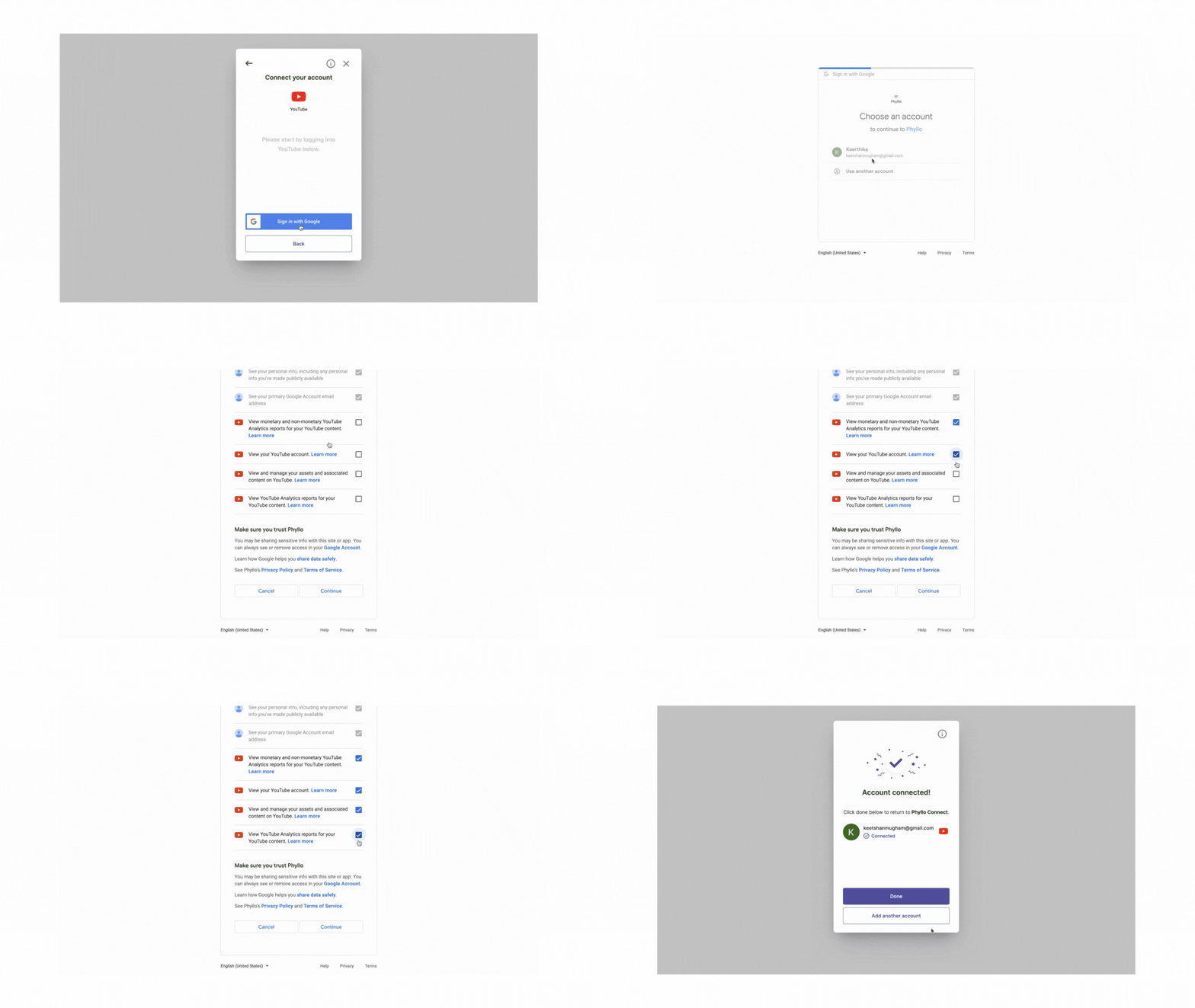
Here's how building directly on YouTube's native API compares to using Phyllo:
For most creator economy platforms — whether you're building influencer marketing tools, fintech products, or creator verification workflows — the native API constraints add weeks to your timeline and ongoing maintenance burden. Here's how Phyllo addresses each of those directly.
Using Phyllo YouTube API integration to get creator-consented data
Phyllo provides you access to updated YouTube data through just four APIs, allowing you to fetch all relevant creator data including profile information, content information, content metrics, audience demographics data, and income information (ad payouts and subscription revenue).
Phyllo acts as the universal API for creator data. Rather than thousands of developers building their integrations with YouTube, TikTok, Patreon, Spotify, and Instagrams of the world, Phyllo has made these integrations scalable and trustable. This allows developers of the creator economy to work with a single easy-to-integrate API.
Phyllo provides the following creator data from YouTube:
- Profile data
- Content feeds
- Audience demographics
- Content views
Phyllo vs. Third Party aggregators for YouTube data
- Quality of data: Phyllo provides you with highly accurate and credible creator data data directly from the true source - platform APIs.
- In tandem with source platforms: Phyllo does not work against the source platforms and rather works with them. The data pipe performance is far superior to those derived from data scraping, which is discouraged by the source platforms.
- Webhooks: Phyllo provides webhooks so developers can know when a creator has updated their data rather than shooting in the dark. This also allows developers to improve their page load time when requesting data. Third-party agency API offerings only support async ‘on-demand’ data requests that take time to fetch the data from the platforms.
- Audience Data: Phyllo’s audience data comes from the platform APIs and gives the data that a creator sees post logging into their dashboard. TPAs run approximations to get this data.
- Higher data refresh frequencies: Phyllo typically refreshes creator data at a frequency of 24 hours or sooner, while Third-party aggregators that manage databases of millions of creators refresh their data at much lower frequencies.
Business use cases for YouTube data
There are several ways in which businesses are using YouTube creator data to build amazing products. Here are a few of them:
- Automated Verification: Phyllo provides a consented data pipe for YouTube creators to authenticate and prove they are who they claim to be. It also asks them to give access to their data to any developer for validation. Developers can use our REST APIs to retrieve information about a creator's identity, income, and engagement on platforms such as Instagram, YouTube, TikTok, Twitch, OpenSea, Discord, Shopify, Substack, and so many others.
- Influencer Marketing: Brands want to invest in creators that are right for them. They also want to ensure that they are dealing with the trusted creator and not an impersonator or a fraud, and the onus of verification falls on the influencer marketing platform.
Phyllo’s Identity API provides creators’ profile-level information such as their followers, following, subscribers, and other reputation metrics. It also includes audience demographics data (gender, age distribution, location, etc.) to determine how valuable a creator is to the brands.
- Creator Tools: Creators build their platform with creator tools. These platforms become a revenue source for creators who charge their fans.
These fans know the creators from YouTube and are coming to this platform to buy courses/merchandise from the creator. These platforms face a significant identity problem because fans have no way of knowing the platform belongs to the original creator and no fraudulent entity trying to pose as the creator. With Phyllo’s data pipe, this issue gets addressed.
- Fintech
Fintechs must ensure that the correct creator benefits from their financial services, such as credit cards, insurance, and loans, before offering them to creators.
The standard wage slip or other paperwork is not available to the creators. To get a loan or insurance, the only proof they have to show is the number of followers they have and the amount of engagement they get on their posts. Banks must ensure that the engagement shown is for the creator's own work, not for someone else’s.
Again, Phyllo's data pipe is critical in this case to authenticate the person’s identity.
- Web3
Creators are releasing NFTs and tokens on web3 platforms, and fans are familiar with these creators from web2 platforms like YouTube.
Verifying NFT creators' web2 reputations and social identities ensure that fans purchase from the artists they love and follow, rather than a fake individual impersonating the creator.
Verifying identity also helps prove NFT ownership to access NFT-based membership DAOs or promotions.

What about Creator Data Compliance?
Recent data privacy laws like GDPR and CCPA have put a massive focus on consented data. The California Consumer Privacy Act of 2018 gives consumers more control over the personal information that businesses collect about them; this includes:
- The right to know about the personal information a business collects about them and how it is used and shared;
- The right to delete personal information collected from them (with some exceptions);
- The right to opt-out of the sale of their personal information; and
- The right to non-discrimination for exercising their CCPA rights.
Businesses are required to give consumers specific notices explaining their privacy practices. The CCPA applies to many companies, including social media platforms.
To comply with these restrictions, social media platforms like YouTube have become even more cautious while handling their data. This means any integration with YouTube has to be completely compliant and with the creators' consent.
Phyllo not only provides creator-consented data without scraping, but it also eliminates the need for developers to know all such compliances. Phyllo takes care of region and platform-specific restrictions so that developers can focus on creating products on top of available data.
Conclusion
Sponsored YouTube videos and influencer-brand partnerships continue to drive results and revenue for creators and brands. With a highly targeted, engaged audience, YouTube influencers will continue to diversify their content including vlogs, product reviews, and much more.
With audiences catering to the particular platform, businesses will create more products with Youtube, and developers and product teams will need access to real-time, quality creator data.
To know more about how Phyllo can empower your business with Youtube creator data, schedule a call here.
Frequently Asked Questions
1. Is the YouTube API free to use?
Yes, the YouTube Data API v3 is free up to 10,000 quota units per day per Google Cloud project. There's no monetary charge unless you use premium Google Cloud services alongside it.
2. How do I increase my YouTube API quota?
Submit a quota extension request through Google Cloud Console under APIs & Services → YouTube Data API v3 → Quotas. Google reviews requests manually — approval is not guaranteed and typically takes 1–2 weeks.
3. What data can I get from YouTube API integration?
Public data (no OAuth): video metadata, channel info, search results, comments. Authenticated creator data (OAuth required): analytics, audience demographics, income data, private video stats, subscriber counts.
4. Does the YouTube API support Shorts?
Yes, but Shorts aren't flagged as a separate content type in API responses. You need to filter by video duration (≤60 seconds) and aspect ratio to identify Shorts programmatically.
5. What's the difference between YouTube Data API and YouTube Analytics API?
The Data API retrieves public content data — videos, channels, playlists, search results. The Analytics API retrieves performance metrics for a creator's own channel — views, watch time, audience demographics, revenue. Both require separate setup and have different quota costs.
Is the YouTube API free to use?
Yes. The YouTube Data API v3 costs nothing to call, and every Google Cloud project gets 10,000 quota units a day. You only pay if you add other Google Cloud services.
How many searches will 10,000 YouTube API quota units cover?
Roughly 100. A single search.list request costs 100 units, and one video upload burns 1,600, so six uploads nearly clear a project's whole daily allocation.
How do I increase my YouTube API quota?
Submit a quota extension request in Google Cloud Console under APIs & Services, YouTube Data API v3, Quotas. Google reviews each one manually, usually within 1 to 2 weeks.
Does the YouTube API label Shorts separately?
No. API responses include no isShort flag, so you classify Shorts yourself from duration of 60 seconds or less plus aspect ratio, and that guess misses some edge cases.
How long does YouTube OAuth verification take for creator analytics?
Budget 4 to 6 weeks. Asking for a sensitive scope like yt-analytics.readonly triggers a security assessment, and until it clears your app only serves testers you add by hand.
What is the difference between the YouTube Data API and Analytics API?
The Data API returns public content: videos, channels, playlists and search results. The Analytics API returns a creator's own metrics such as watch time, demographics and revenue.
How does Phyllo simplify YouTube API integration?
Phyllo is a universal creator data API. It serves YouTube profile, content, audience demographics and income data with no per-call quota, and goes live in under 7 days.