




Key Takeaways Understanding what TikTok collects and how to access your data empowers you to make informed decisions about your digital privacy. Here's what you need to know: • TikTok collects extensive data beyond videos including watch history, direct messages, location data, device information, keystroke patterns, and even tracks you across 5% of the world's top websites through embedded pixels. • Downloading your data takes minutes Navigate to Profile > Menu > Settings and privacy > Account > Download your data, choose TXT or JSON format, and receive your file within 24 hours to 4 days. • Your data file reveals everything Complete viewing history, deleted messages, shopping records, unused vouchers, comments, followed hashtags, and even unpublished drafts that TikTok pre-uploads during creation. • Act quickly once notified Your downloadable data file expires after just 4 days, so download it immediately when you receive the in-app notification to avoid losing access. Taking control of your digital footprint starts with awareness. Downloading your TikTok data at least once gives you crucial insight into how much information social media platforms collect and store about your behavior, both on and off their apps. Have you ever wondered what TikTok really knows about you? You can download TikTok data to find out, and what you'll see might surprise you. TikTok has become a cultural phenomenon with more than 1 billion active users worldwide[11]. Behind the scroll, the app tracks much more than just your favorite videos. Does TikTok track you? Absolutely. The platform collects everything from your watch history and direct messages to your device type, internet address, and even estimates of your household income[11][10]. Your data is stored across servers in the United States, Singapore, and Malaysia[12]. In this piece, we'll show you how to download TikTok data and reveal what information the app has collected about you.
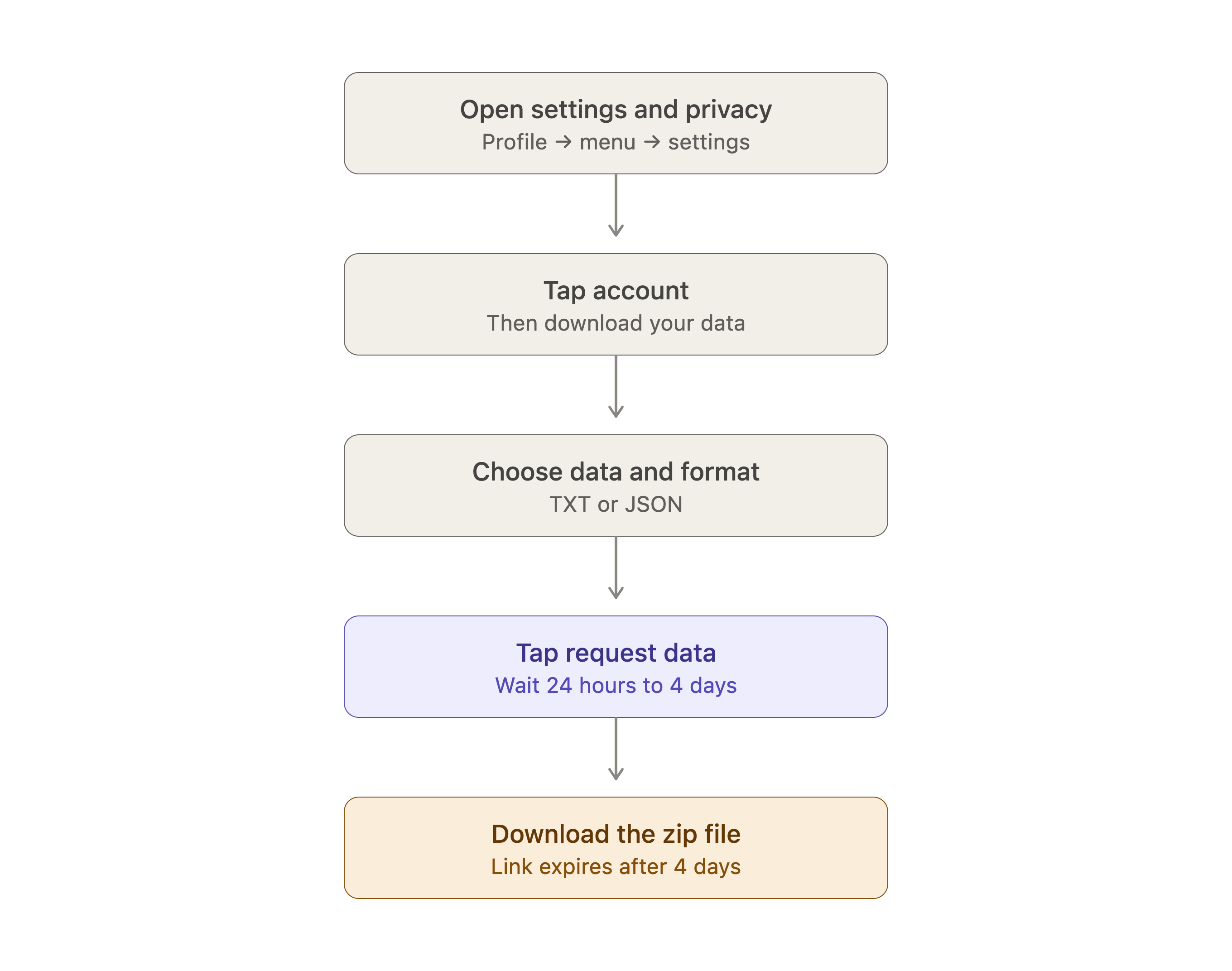
- You can download your TikTok data in 8 app steps, ending at Settings and privacy, Account, Download your data.
- TikTok prepares the file in 24 hours to 4 days, and the link expires 4 days later.
- The export arrives as a zip in TXT or JSON with URLs of every video you watched, your comments, and your following list.
- Direct messages appear in full, including TikTok chats you already deleted in the app.
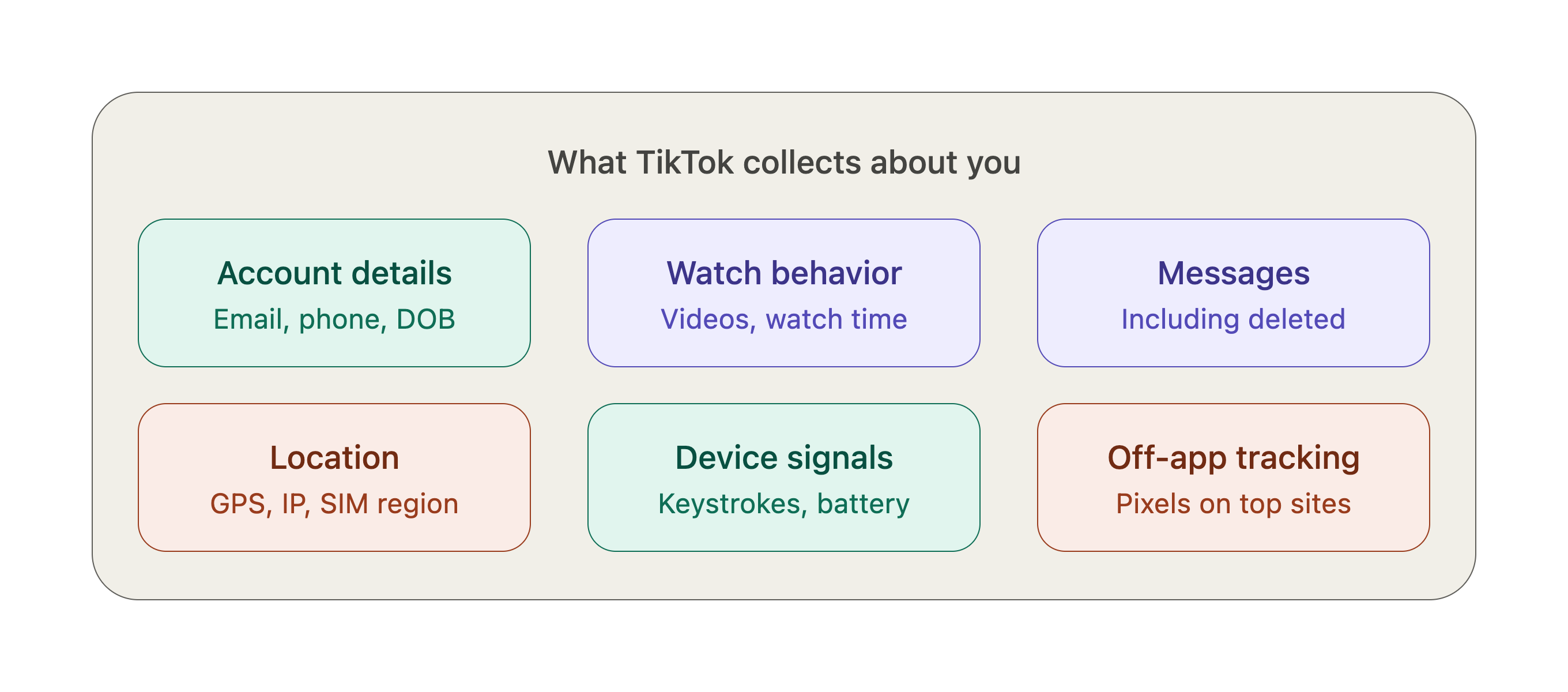
- TikTok tracks you off the app with pixels on 5% of the world's top websites and estimates location from your IP and SIM region.
What Data Does TikTok Collect About You
"It's extremely invasive." — Patrick Jackson, Chief Technology Officer at Disconnect
TikTok's data collection starts the moment you create an account. The platform captures your username, email address and phone number along with your date of birth and profile image. The surveillance expands faster after that.
Every video you create becomes part of TikTok's database, whether you publish it or not. The app pre-uploads content during creation to recommend audio options and effects[1]. Your unpublished drafts aren't as private as you might think. TikTok also analyzes the objects, scenery and faces that appear in your videos, along with spoken text[2].
TikTok tracks your behavior constantly. The platform monitors which videos you watch and how long you spend on each one. It records what you comment on and who you participate with[1]. The app captures keystroke patterns or rhythms, battery state and audio settings. It also logs connected audio devices[1]. TikTok records those interactions too when you browse websites through its in-app browser[1].
Location tracking operates on multiple levels. TikTok estimates your location through your IP address and SIM card region even if you deny permissions[1]. The app collects precise GPS coordinates once you grant permission[3]. TikTok's tracking extends beyond the app itself. The platform has pixels embedded on 5% of the world's top websites[4]. These pixels collect data about your browsing behavior on the internet.
How to Download Your TikTok Data
Requesting your data through the TikTok mobile app takes just a few minutes. The process works the same way on both iOS and Android devices.
- Open the TikTok app and tap Profile at the bottom of your screen[5]
- Tap the Menu button (three horizontal lines) at the top[5]
- Select Settings and privacy[5]
- Tap Account[5]
- Scroll down and tap Download your data[5]
- Choose which information you want to include in your file[5]
- Select a file format: TXT or JSON[5][6]
- Tap Request data[5]
TikTok processes your request and creates a downloadable file. Processing times vary based on how much content you've generated. Some users receive their data within 24 hours. Others wait up to 4 days[7]. The app sends an in-app notification when your file is ready[5].
Return to the same Download your data section after you get the notification. Tap Download data to check your request status, then tap Download when ready[5]. Your file downloads as a zip folder.
Act fast after you receive the notification. Your data file remains available for 4 days only before it expires[5][8]. TikTok may require account verification before processing your request[9].
What You'll Find in Your Downloaded TikTok Data
"Behavioral advertising generates profits by turning users into products, their activity into assets, their communities into targets, and social media platforms into weapons of mass manipulation." — Rohit Chopra, Former CFPB Director and FTC Commissioner
Opening your downloaded zip file reveals an archive of your TikTok activity. The data package contains URLs of every video you've ever watched and provides a viewing history[10]. Your direct messages appear in full. This has conversations you may have deleted from the app[10].
The file has a list of accounts you follow. This makes it easier to reconnect with creators on other platforms[8]. Every comment you've left on other people's videos gets archived[8]. Your favorite hashtags show up as well and document the topics that caught your attention[10].
TikTok Shopping activity receives attention in the export. You'll find records of purchases made through the app[10] and your browsing habits on TikTok Shop[8]. The data even tracks vouchers you failed to use[8].
Your account settings and privacy priorities get documented too[5]. Profile information appears in the download. This has your username and the posts you've published[5]. The activity section captures which videos you liked and watched over time[5].
The files arrive formatted as either TXT or JSON. This depends on what you selected during the request process. Opening these files gives you a look at what TikTok has compiled about your behavior on the platform.
Conclusion
You now have everything you need to download your TikTok data and see what the platform knows about you. The process takes a few minutes, and what you find might change how you use the app.
TikTok tracks so much of your activity that checking your data file at least once gives you insight into your digital footprint. Download your data today and take control of your privacy. You deserve to know what's being collected.
FAQs
Q1. What information does TikTok collect about me? TikTok collects a wide range of data including your account details (username, email, phone number, date of birth), video watching history, engagement patterns, direct messages, location data, device information, network details, purchase history, contact lists, and even keystroke patterns. The app also tracks your behavior across the platform, including which videos you watch, how long you spend on each one, and what you comment on.
Q2. How long does it take to receive my TikTok data after requesting it? Processing times vary depending on how much content you've generated on the platform. Some users receive their data within 24 hours, while others may wait up to 4 days. TikTok will send you an in-app notification once your file is ready for download. Keep in mind that your data file remains available for only 4 days after you receive the notification before it expires.
Q3. Can I see deleted messages when I download my TikTok data? Yes, your downloaded TikTok data package includes your direct messages in full, including conversations you may have deleted from the app. The archive provides a complete record of your messaging history on the platform.
Q4. What file formats are available when downloading TikTok data? When you request your TikTok data, you can choose between two file formats: TXT (text file) or JSON (JavaScript Object Notation). Both formats contain the same information about your TikTok activity, but JSON is more structured and may be easier to parse if you're using data analysis tools.
Q5. Does TikTok track my activity outside of the app? Yes, TikTok's tracking extends beyond the app itself. The platform has tracking pixels embedded on approximately 5% of the world's top websites, which allows it to collect data about your browsing behavior across the internet. Additionally, when you browse websites through TikTok's in-app browser, those interactions are logged as well.
What data does TikTok collect about you?
TikTok collects your account details, watch history, comments, direct messages, location, device info and purchases, plus keystroke rhythms and connected audio devices.
How do you download your TikTok data from the app?
Open TikTok, tap Profile, the Menu button, Settings and privacy, Account, then Download your data. Choose the information you want, pick TXT or JSON, and tap Request data.
How long does a TikTok data request take?
Some TikTok data requests finish within 24 hours, while heavier accounts wait up to 4 days. An in-app notification arrives the moment your file is ready to download.
How long does a TikTok data file stay available before it expires?
Your TikTok data file stays downloadable for 4 days after the notification, then expires. Miss that window and you have to submit a fresh request inside the app.
Should you pick TXT or JSON for a TikTok data download?
TXT and JSON hold the same TikTok activity. Pick TXT if you just want to read the files, and JSON if you plan to parse the export with data analysis tools.
Does a TikTok data download include deleted messages?
Yes. The TikTok export carries your direct messages in full, and that covers conversations you already deleted in the app, so the archive is a complete chat record.
Does TikTok track you outside of the app?
Yes. TikTok has pixels on 5% of the world's top websites that collect browsing data, and its in-app browser records what you do on the sites you open through it.
Can TikTok find your location if you deny location permission?
Yes. TikTok estimates where you are from your IP address and SIM card region even when permissions are denied, then collects precise GPS coordinates once you allow it.
Does TikTok keep videos you never published?
Yes. TikTok pre-uploads content while you create it to suggest audio and effects, so unpublished drafts reach its servers along with analysis of faces, scenery and speech.







.avif)
.avif)