
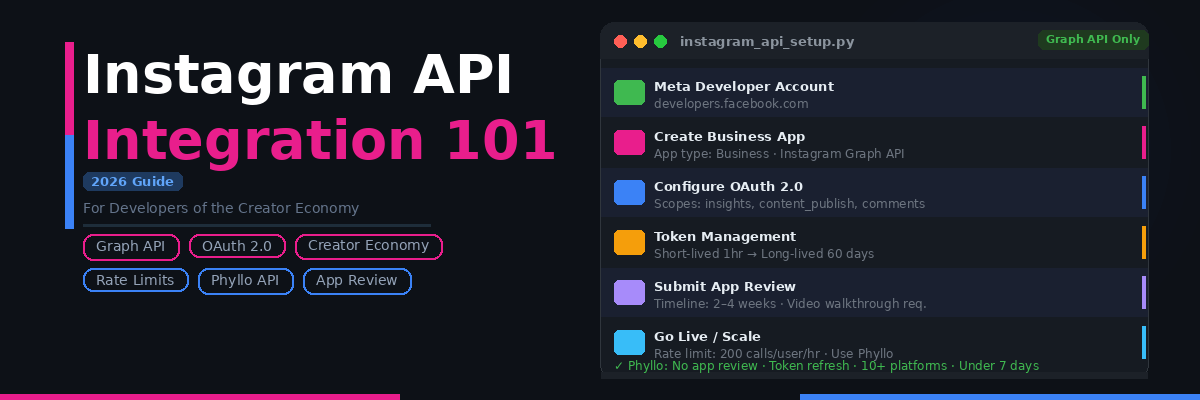


TL;DR Summary: Integrating with Instagram's API in 2026 means working exclusively with the Instagram Graph API — the Basic Display API was deprecated in December 2024. You'll need OAuth 2.0, a Business or Creator account connected to a Facebook Page, and Meta app review before going live. This guide covers the full setup process, the key challenges developers hit in production, and how platforms like Phyllo simplify Instagram data access for creator economy products at scale.
- Meta shut down the Basic Display API on December 4, 2024, so Instagram API integration now runs only through the Graph API.
- Meta app review is mandatory before a live app serves real users, and takes 2 to 4 weeks.
- The Business Use Cases limit allows 200 calls per user per hour, and going over that returns a 429 error.
- Audience demographics come back only for the authenticated account owner, so every creator must connect their Instagram account individually.
- Phyllo skips app review and covers 10+ platforms through one API, with first data in under 7 days.
What's Changed in Instagram API Integration (2026 Update)
Before anything else — here's what's different from earlier versions of this guide:
- The Instagram Basic Display API was officially deprecated on December 4, 2024. Any integration still relying on it has broken. Personal account access via any public API is no longer available. Everything now goes through the Instagram Graph API, which requires a Business or Creator account linked to a Facebook Page.
- App review is now mandatory for all live integrations. In Development mode, only manually added testers can use your app. You cannot serve real users at scale until Meta's app review team approves your application and you switch to Live mode. This process takes 2–4 weeks.
- Rate limits have become a harder constraint. The Business Use Cases (BUC) rate limit is 200 API calls per user per hour. For platforms with thousands of creator accounts, this ceiling is hit faster than most developers expect.
- Instagram Stories data requires active polling or webhook alternatives. Stories expire after 24 hours, so any integration that needs Stories metrics must have a data pipeline that fetches and stores this data continuously — not on demand.
- OAuth token refresh is more critical than ever. Short-lived tokens expire in 1 hour. Long-lived tokens last 60 days. Neither refreshes automatically — your integration will silently break in production if you don't build explicit refresh logic from the start.
- Audience demographic data is restricted to account owners. If you're building an influencer marketing platform that needs to access demographics for third-party creator accounts, the native Instagram Graph API cannot do this — you need creators to authenticate directly through your app.
Why Creator Economy Companies Need Instagram API Integration
Instagram has over 2 billion monthly active users and remains the #1 platform for influencer marketing globally. For developer teams building in the creator economy, Instagram data is foundational — but the platform's walls are high.
A creator's identity, audience, and engagement data live inside Instagram. Their follower demographics, content performance, story metrics, and audience location data are all platform-native. Without API access, you're left with three bad options: manual data collection (not scalable), scraping (violates Terms of Service and produces unreliable data), or third-party estimates (approximations with no first-party accuracy guarantee).
API integration is the only compliant, scalable, and accurate path. Here's what the different segments of the creator economy need from it:
Influencer marketing platforms need to verify creator identity, pull engagement metrics, access audience demographics, and monitor brand mention activity — all across a pool of thousands of creators.
Creator tools (media kit builders, analytics dashboards, portfolio platforms) need authenticated access to a creator's own private metrics — impressions, reach, saves, story views — that aren't visible publicly.
HR and background verification platforms need to access a candidate's public Instagram content history for social screening workflows.
Fintech platforms need to verify creator identity and assess audience authenticity before extending financial products like creator loans, advances, or insurance.
Brand safety tools need to monitor an influencer's historical content across all posts, reels, and stories to flag risk before campaign sign-off.
How to Get Instagram Data — Three Methods Compared
1. Data Scraping
The most common approach among third-party agencies, but the worst for production use. Scraping only reaches publicly visible data, misses private metrics entirely, violates Instagram's Terms of Service, and produces data that varies in quality across providers. Instagram actively detects and blocks scrapers. Meta has pursued legal action against scrapers. Don't build a production product on scraped Instagram data. For a deeper comparison of why first-party API data outperforms scraping across accuracy, compliance, and data freshness, see our full breakdown on why first-party API data outperforms scraping.
2. Third-Party Data Aggregators
Some platforms aggregate Instagram data from various sources and resell it. The data quality is inconsistent — audience profiles are approximations, not platform-verified figures. Aggregators often use a mix of scraping and old cached data, meaning refresh frequencies are low and private metrics (impressions, reach, story views) are unavailable. There's also no clear audit trail for where the data came from, which creates compliance risk.
3. Instagram Graph API Integration (Official)
The only compliant and reliable method. Direct API integration with Meta's Graph API gives you first-party, creator-consented data in real time — the exact same data a creator sees in their own Instagram dashboard. This includes private metrics, audience demographics, and story performance that are unavailable through any other method.
The trade-off: it requires engineering effort, Meta app review, ongoing maintenance, and a rate limit management strategy. The rest of this guide covers exactly how to handle each of those.
How to Set Up Instagram API Integration — Step by Step
Step 1: Create a Meta Developer Account
Go to developers.facebook.com and sign in with a Facebook account. This becomes your developer identity for all Meta API work.
Step 2: Create a Meta App
- Click My Apps → Create App
- Select Business as your app type (required for Instagram Graph API access)
- Enter your app name, contact email, and link a Business Manager account if you have one
- Click Create App
Step 3: Add Instagram to Your App
In your app dashboard:
- Go to Add Products and find Instagram
- Click Set Up
- This adds the Instagram Graph API product to your app
Step 4: Configure a Business Instagram Account
For testing and for your live integration, the Instagram account you're working with must be:
- A Business or Creator account (not a personal account)
- Connected to a Facebook Page — this is a hard requirement from Meta. Without the linked Page, key endpoints including media publishing, comment moderation, and insights are unavailable
Step 5: Configure OAuth 2.0
In your app's Auth settings:
- Add your OAuth redirect URIs (the URL Meta will send users back to after they authorize your app)
- Note your App ID and App Secret — store these securely, never expose in client-side code
Request only the permission scopes your use case actually requires:
Request only what you need. Over-requesting scopes is one of the most common reasons app review gets rejected or delayed.
Step 6: Implement the OAuth 2.0 Flow
The Instagram Graph API uses OAuth 2.0 Authorization Code flow:
- Direct the user to Meta's authorisation URL with your App ID, redirect URI, and requested scopes
- The user logs in and approves your app
- Meta redirects back to your URI with a temporary authorisation code
- Exchange the code for a short-lived access token (valid 1 hour)
- Exchange the short-lived token for a long-lived access token (valid 60 days)
- Store the long-lived token securely and build refresh logic — tokens don't auto-refresh
Critical: Build token refresh logic before you build anything else. The most common production failure in Instagram integrations is an expired token that isn't handled — your integration silently stops working and you don't find out until users report missing data.
Step 7: Make Your First API Call
Retrieve basic profile data for an authenticated user:
GET https://graph.instagram.com/me?fields=id,username,account_type,media_count&access_token={access-token}
Retrieve recent media:
GET https://graph.instagram.com/me/media?fields=id,caption,media_type,media_url,thumbnail_url,permalink,timestamp,like_count,comments_count&access_token={access-token}
Retrieve account insights (requires instagram_manage_insights scope):
GET https://graph.instagram.com/{ig-user-id}/insights?metric=impressions,reach,profile_views&period=day&access_token={access-token}
Step 8: Submit for App Review
Before real users can use your integration, you must:
- Complete Business Verification in Meta Business Manager (requires official business documents)
- Submit each permission scope for review with a video screencast showing exactly how your app uses the data
- Provide a privacy policy URL and data deletion instructions
- Switch your app from Development mode to Live mode after approval
Timeline: 2–4 weeks for standard permissions. More complex permissions (like instagram_manage_messages) can take longer or require additional justification.
Step 9: Handle Rate Limits in Production
Instagram Graph API enforces Business Use Cases (BUC) rate limits:
- 200 API calls per user per hour — this is the per-user limit
- Your app-level limit scales with the number of users: if you have 1,000 users, your app can make up to 200,000 calls per hour total, but no single user can exceed 200 calls
When you exceed the rate limit, the API returns a 429 error. Implement exponential backoff with jitter — wait, retry, and don't hammer the endpoint in parallel when you're already rate-limited.
Key Challenges in Instagram API Integration (2026)
1. App Review Is a Black Box With a Long Timeline
Meta's review process is manual, opaque, and slow. You submit your app, provide video walkthroughs of every permission you're requesting, and then wait — typically 2–4 weeks, sometimes longer. Reviewers can request revisions, which resets the clock. Applications that look like they could be used for data scraping, competitive intelligence, or reselling data are frequently rejected without detailed explanation.
Practical implication: Start app review before your product is feature-complete, not after. Factor 6–8 weeks into your go-to-market timeline. Have your business verification documents and privacy policy ready before you start building.
2. OAuth Complexity at Scale
Every creator on your platform needs to individually authenticate your app. Managing OAuth flows, token expiry, re-authentication prompts, and graceful error handling for revoked tokens is non-trivial at scale. If a creator revokes your app's access, your integration needs to handle the resulting API errors without breaking other functionality.
Long-lived tokens last 60 days. If a creator doesn't actively use your platform for 60 days, their token expires and they'll need to re-authenticate next time. Building a proactive token refresh system — and a smooth re-authentication experience for creators — is a significant engineering investment.
3. Creator Account Requirements Create Onboarding Friction
Every creator who connects to your app must have:
- An Instagram Business or Creator account (not a personal account)
- That account connected to a Facebook Page
Many creators, especially nano-influencers and micro-influencers, have personal accounts. Getting them to convert to a Business or Creator account and link a Facebook Page adds friction to your onboarding flow that you cannot avoid. You need to build clear in-app guidance to help creators through this process — or you'll see high drop-off at the account connection step.
4. Audience Demographics Are Restricted to Account Owners
This is the most significant data gap for influencer marketing platforms. Instagram's instagram_manage_insights scope only returns audience demographic data — age, gender, location breakdown — for the authenticated account owner. You cannot call the insights endpoint for a creator's account on their behalf unless they have specifically authenticated your app.
This means: if you want to show a brand the audience demographics of 500 creators in your database, all 500 creators need to have individually connected their accounts to your app. There is no way to pull third-party audience data via the native Instagram Graph API — it's not a matter of having the right scope, the endpoint simply doesn't exist.
5. Stories Data Expires and Requires Active Polling
Instagram Stories disappear after 24 hours, and the Graph API reflects this — once a story expires, it's no longer accessible via the API. For platforms that need historical story metrics (views, reach, exits, link clicks), you must build a polling system that fetches story data at regular intervals throughout the day before it expires.
This means your Instagram integration needs a background job that continuously polls story endpoints for all connected creators — a significant infrastructure investment that most developers discover too late.
6. Ongoing Maintenance as Meta Updates the API
Meta deprecates API versions, changes endpoint behaviour, updates rate limit policies, and occasionally shifts permission requirements — usually with 3–6 months' notice, sometimes less. The Basic Display API deprecation in December 2024 is the most recent example. Teams building on native Instagram integration need to monitor Meta's developer changelog and respond to every breaking change.
For products integrating Instagram alongside TikTok, YouTube, LinkedIn, and other platforms simultaneously, the cumulative maintenance burden compounds quickly — a dynamic we cover in full in our enterprise analysis of the compliance risks of scraping vs. API access at scale.
Instagram Graph API vs Phyllo — How They Compare
Here's how building directly on Instagram's native Graph API compares to using Phyllo:
For most creator economy platforms, the native Instagram API integration makes sense if Instagram data is your core product and you have the engineering bandwidth to manage the complexity. If Instagram is one of several platforms you need, or if you need to move quickly, a unified API layer handles the overhead so your team can focus on the product.
Business Use Cases for Instagram API Data
Influencer marketing platforms — Verify creator identity, pull authentic follower counts, retrieve engagement rates, access audience demographic breakdowns, and monitor brand mentions in real time. Phyllo's Identity API and Engagement API cover all of these with a single integration.
Creator media kits and portfolio tools — Let creators showcase their real Instagram metrics — not screenshots, not estimates — directly in their media kit. Authentic, API-sourced data that brands can trust.
Social media analytics dashboards — Build dashboards that display historical post performance, audience growth trends, content type breakdowns (photos vs Reels vs Stories), and engagement rate trajectories for connected creator accounts.
Background verification and social screening — Access a creator's or candidate's public Instagram content history for brand safety assessment or HR screening. Flag potentially problematic content before campaign sign-off or hiring decisions.
Fintech and creator lending platforms — Verify that a creator's claimed Instagram following and engagement are authentic before extending financial products. Instagram API data provides the first-party proof of audience size and content performance that credit assessment models need.
E-commerce and brand fit tools — Analyze what products, brands, and categories a creator's audience engages with most to identify high-fit partnership opportunities.
Phyllo's Instagram API Integration for Creator Economy Developers
Phyllo's Instagram API provides a unified layer that abstracts the complexity of Instagram Graph API integration — app review, OAuth flows, token management, Stories polling, and rate limit handling — so your team ships faster and maintains less.
Here's what you get with Phyllo for Instagram specifically:
Creator-consented first-party data — Profile information, follower counts, audience demographics (age, gender, location), content feeds, engagement metrics, impressions, reach, story views, and Reels analytics — all from a creator who has explicitly authenticated and consented.
Phyllo Connect SDK — Handles the entire creator account connection flow, including the disclosure messaging that explains what data will be accessed, the GDPR/CCPA-compliant consent mechanism, and the complex Instagram onboarding journey (Business account requirement, Facebook Page linking). Phyllo has refined this flow across thousands of creator onboardings to maximize connection completion rates.
No app review wait — Phyllo's existing Meta partnership means you don't need to go through Instagram's app review process yourself. You integrate with Phyllo once and get access to Instagram data — no 2–4 week wait, no risk of rejection.
Webhooks for real-time updates — Instead of building polling systems for Stories and other ephemeral data, Phyllo sends webhooks whenever a creator's data updates. Your application stays current without having to constantly ask the API "has anything changed?"
Cross-platform from day one — Instagram, TikTok, YouTube, LinkedIn, Facebook, Twitch, and 10+ more through the same API with a consistent data schema. Rather than building and maintaining separate integrations for each platform, Phyllo gives you the full creator stack in one place.
See how Phyllo's Instagram API integration works →
Wrapping Up
Instagram API integration in 2026 is more complex than it was two or three years ago — the Basic Display API is gone, app review is mandatory, rate limits are tighter, and audience demographic access for third-party accounts requires explicit creator authentication. None of these challenges are insurmountable, but all of them need to be planned for before you start building, not discovered in production.
For creator economy platforms where Instagram is one of many data sources, the build-vs-buy calculation increasingly favors a unified API layer. The engineering cost of building and maintaining a production-grade Instagram integration — OAuth flows, token refresh, Stories polling, rate limit handling, app review cycles — is substantial, and it compounds with every additional platform you add.
Build what differentiates your product. Let the API infrastructure take care of itself.
Explore Phyllo's Instagram API →
Related reads:
- Social media API guide for developers
- How to use Instagram API for social media analytics
- How to use Instagram API to get followers
- Instagram Graph APIs — what are they and how do developers access them
- Instagram API pricing — free access, rate limits and paid tiers
Frequently Asked Questions
1. What is Instagram API integration?
Instagram API integration is the process of connecting your application to Meta's Instagram Graph API so it can programmatically access Instagram data — creator profiles, media, engagement metrics, audience demographics, and insights. It requires OAuth 2.0 authentication, a Meta developer app, and approval from Meta's app review process before going live with real users.
2. How do I integrate Instagram API in 2026?
Create a Meta Developer account, build a Business-type app, add the Instagram Graph API product, configure OAuth 2.0 with the permission scopes you need, implement the authorization code flow, submit for Meta app review, and then switch to Live mode after approval. The full process typically takes 4–6 weeks including review. For a step-by-step walkthrough, see the setup guide above.
3. Is the Instagram Basic Display API still available?
No. The Instagram Basic Display API was officially deprecated and shut down on December 4, 2024. It is no longer supported by Meta. All Instagram API access in 2026 goes through the Instagram Graph API, which requires a Business or Creator account connected to a Facebook Page.
4. What data can I access through Instagram API integration?
With the appropriate scopes approved by Meta: basic profile data (username, account type, media count), media feed (photos, videos, Reels with metadata), engagement metrics (likes, comments, shares, saves), account insights (impressions, reach, profile views — own account only), audience demographics (age, gender, location — own account only), Stories metrics (views, exits, link clicks — must be fetched before stories expire), and comment moderation.
5. Can I access audience demographics for third-party creator accounts?
Not directly via the native Instagram Graph API. The insights endpoint only returns audience demographics for the authenticated account owner. To access demographics for third-party creator accounts, those creators must individually authenticate your app — giving you access to their account's insights data. Phyllo's platform handles this creator authentication flow for you.
6. How long does Instagram API app review take?
Typically 2–4 weeks for standard permissions. More sensitive permissions (like Instagram Direct Message access) can take longer or require additional documentation. Submitting incomplete applications or requesting scopes without clear justification extends the timeline significantly.
7. What are Instagram API rate limits?
The Business Use Cases (BUC) rate limit is 200 API calls per user per hour. Your app's total hourly limit scales with the number of authenticated users — 1,000 users means up to 200,000 calls per hour across all users. Exceeding the limit returns a 429 error. Build exponential back off and retry logic to handle rate limit responses gracefully.
8. Why use Phyllo instead of Instagram's native API?
Phyllo eliminates the need to go through Meta's app review process, handles token refresh and rate limit management, provides audience demographics for third-party creator accounts (via creator-consented authentication), and supports 10+ platforms through a single API. For creator economy platforms that need Instagram data alongside TikTok, YouTube, and LinkedIn, Phyllo reduces months of integration work to under 7 days.
Is the Instagram Basic Display API still available in 2026?
No, Meta shut down the Basic Display API on December 4, 2024. All Instagram API access now runs through the Graph API using a Business or Creator account linked to a Facebook Page.
How long does Instagram API app review take?
Standard permissions clear Meta's app review in roughly 2 to 4 weeks. Sensitive scopes such as instagram_manage_messages take longer, and a reviewer request for revisions restarts the clock.
What are the Instagram Graph API rate limits?
Instagram's Business Use Cases limit is 200 API calls per user per hour, so 1,000 connected users allows 200,000 calls hourly. Past that ceiling the API returns a 429 error.
Can I get Instagram audience demographics for other creators?
Not through the native Graph API. The insights endpoint returns age, gender, and location only for the authenticated account owner, so each creator has to connect their own account to your app.
Do creators need a Business account to connect Instagram to my app?
Yes. Every creator needs an Instagram Business or Creator account linked to a Facebook Page, otherwise insights, comment moderation, and media publishing endpoints stay unavailable.
How do I stop Instagram access tokens from expiring in production?
Short-lived Instagram tokens last 1 hour and long-lived ones last 60 days, and neither renews on its own, so build explicit refresh logic before you ship anything else.
How do I collect Instagram Stories metrics before they expire?
Stories drop off the Graph API after 24 hours, so you need a background job polling story endpoints through the day, or webhooks from a provider that stores the data for you.
Why use Phyllo instead of building on the Instagram Graph API?
Phyllo is a social data infrastructure platform serving creator-consented Instagram data with no app review on your side, covering 10+ platforms and first data in under 7 days.